
TABLE OF CONTENTS
- Overview
- Trigger Conditions
- Where can I find my renewals?
- What case data is transferred to PAVIS?
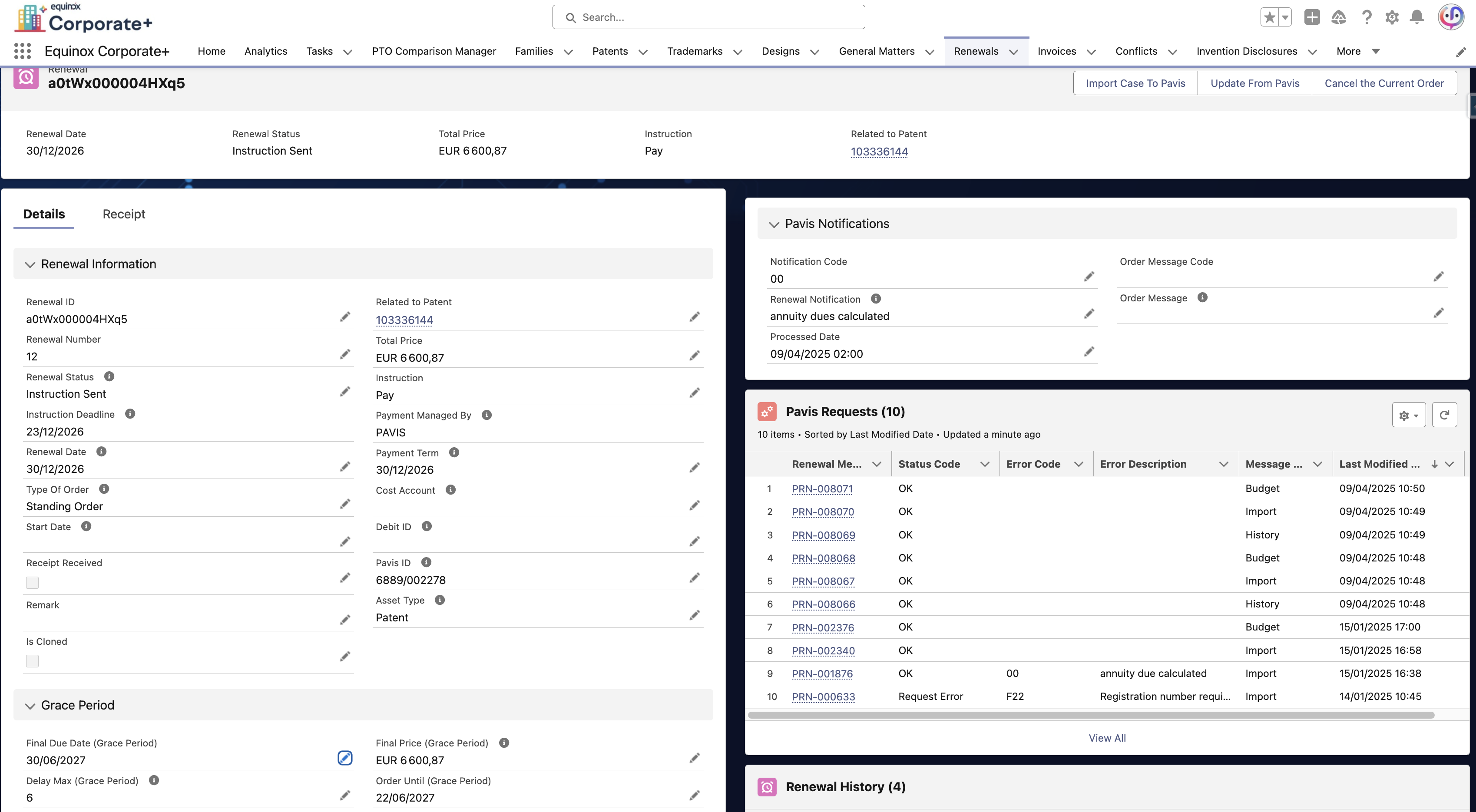
- Fields Populated from Pavis
- Get immediate updates: manual process
- Summary of Best Practices
Overview
This process allows Equinox Corporate+ (EC+) to automatically:
Send renewal data to Pavis
Receive renewal date, grace period and price information from Pavis
Create the Renewal (Annuity) record automatically in EC+
This process runs in the background and does not require manual user intervention.
Trigger Conditions
Cases will automatically be sent to Pavis in the scheduled weekly batch, as long as:
Case Type = Patent / Trademark / Design
Type of Order = Single Order or Standing Order
Payment Management By = Pavis
Pavis Registration = False
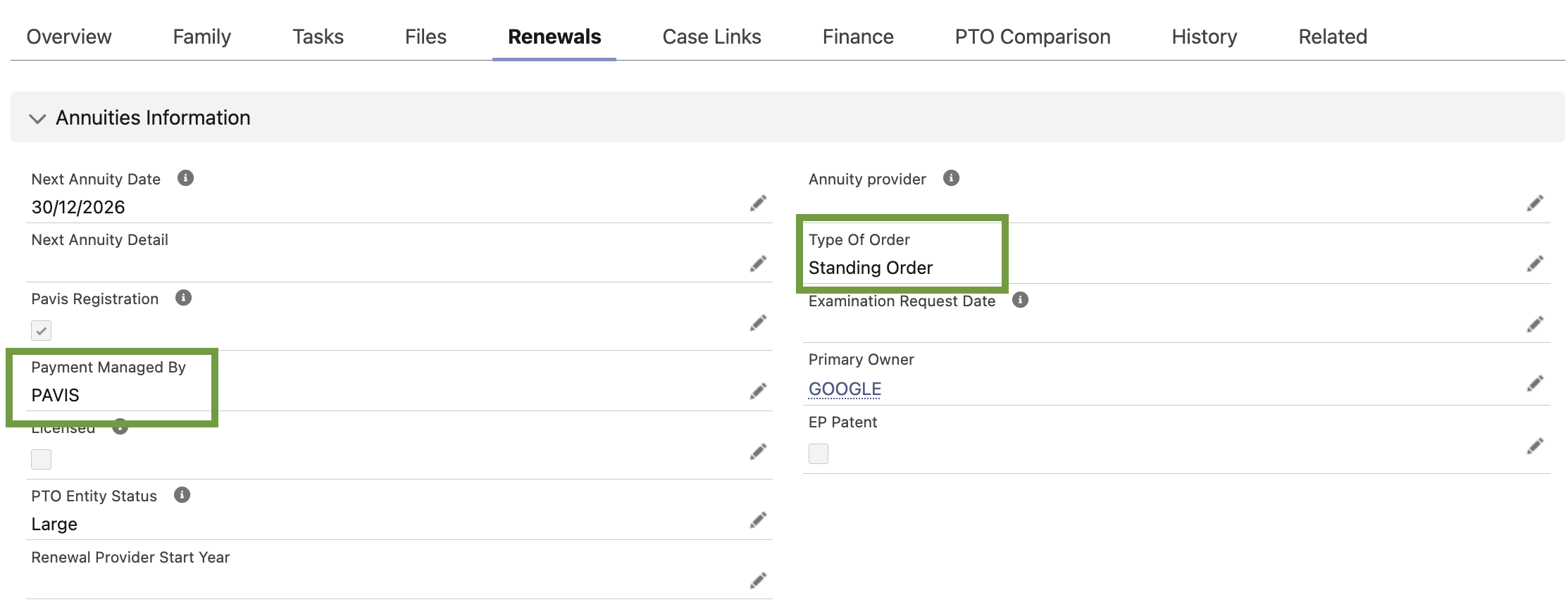
⚠️ Without this information, the case won't be sent to Pavis.The “Pavis Registration” Importance
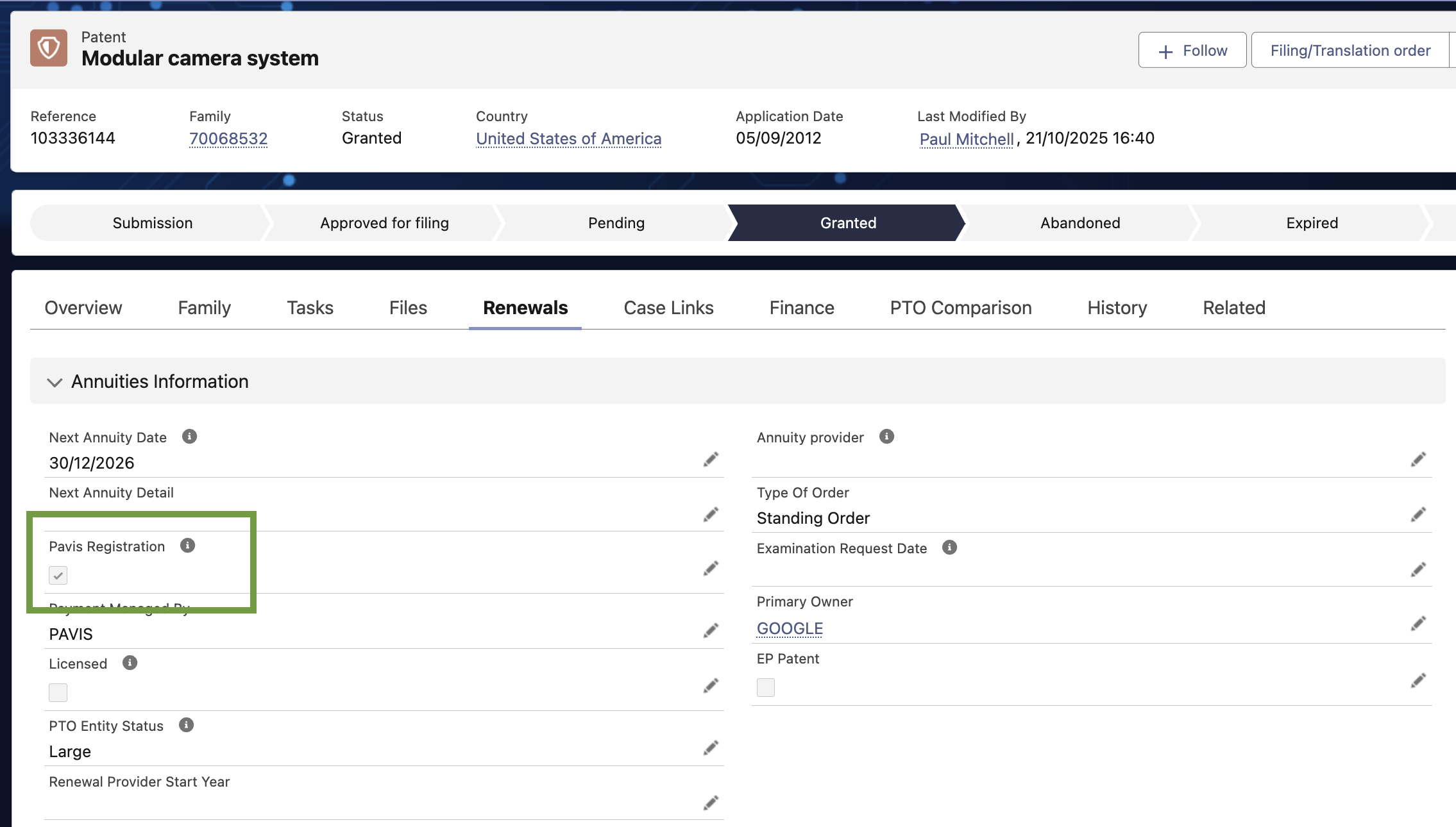
Why It Matters:
This field ensures that the case is recognized and accepted by Pavis before future renewals.
It is set to TRUE only when EC+ receives a successful answer from Pavis, meaning that the data is correct.
If unchecked, no automatic payment, update, or renewal instructions will be processed for the case.
If unchecked, it will be sent again when the next weekly batch runs.
It is used as a filter for all subsequent renewal or standing order workflows.
⚠️ Do not manually check this field. You should not be able to edit this field. It is automatically set based on API responses.
Where can I find my renewals?
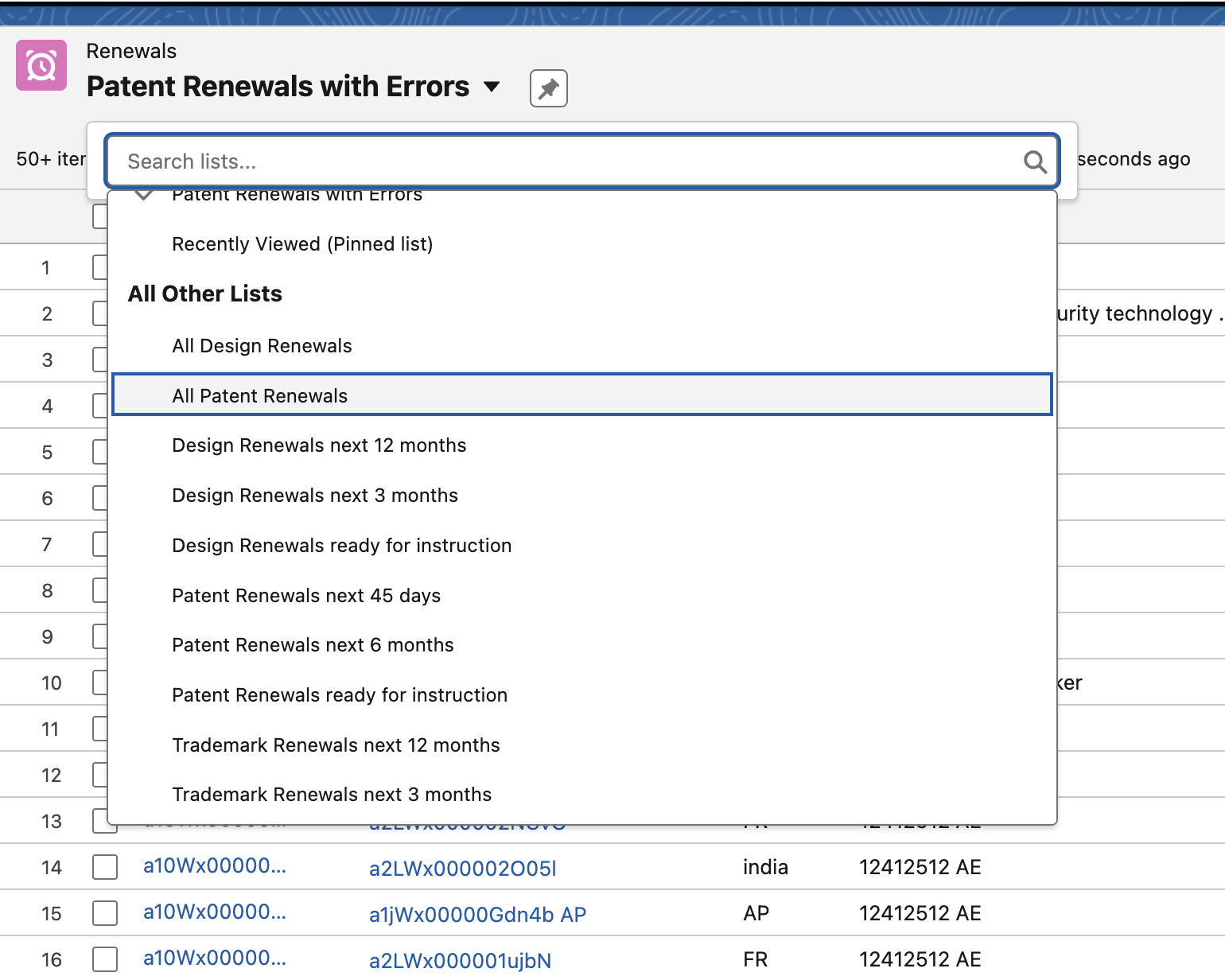
In the Renewals tab, you can access different views that permit you to access your renewals.
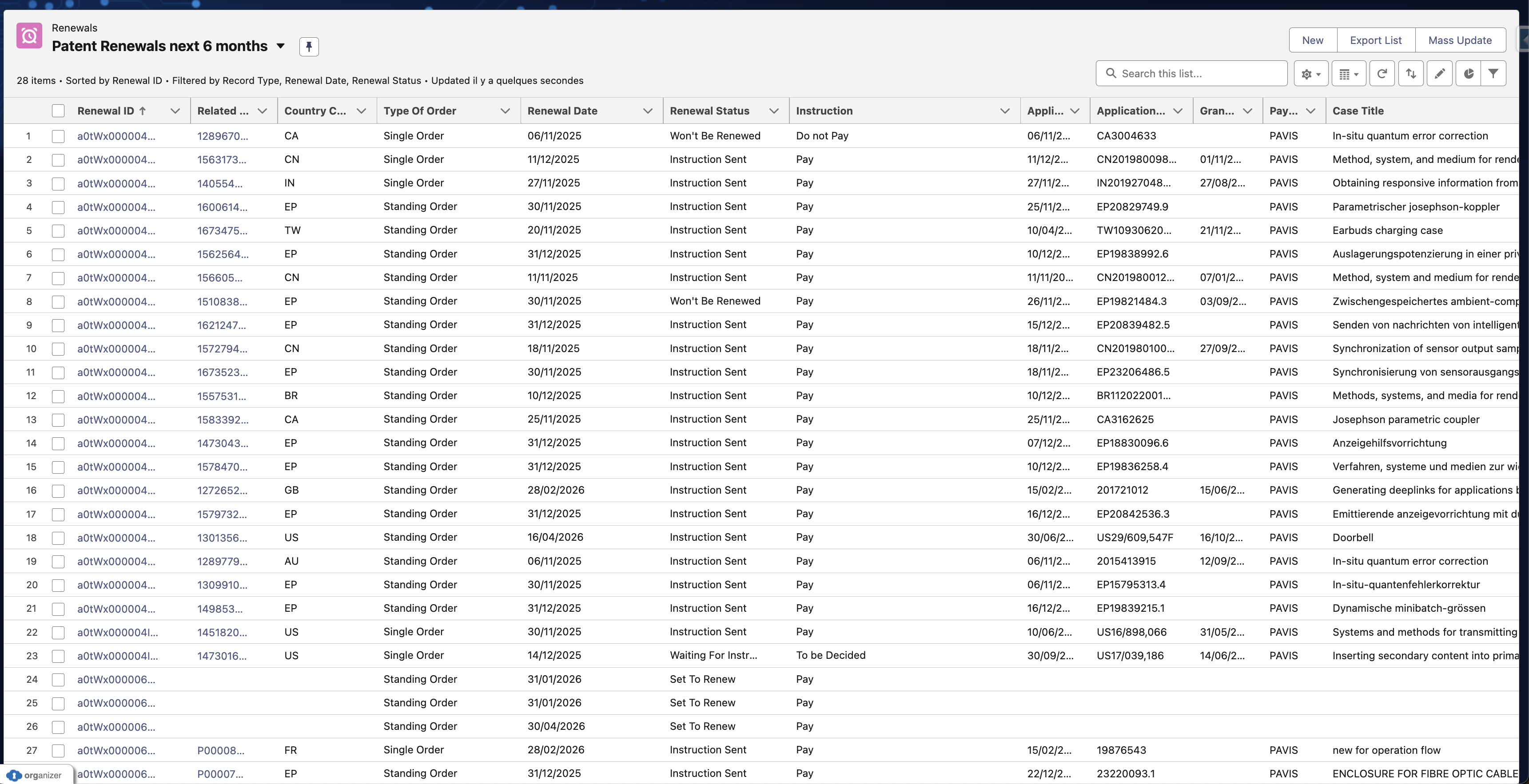
You can select the right view:
What case data is transferred to Pavis?
For information on the data that is transferred to Pavis and any specific data requirements, refer to Pavis Data Requirements.
Fields Populated from Pavis
| Equinox Field Label | API Tag | Description |
|---|---|---|
| Renewal Date | <due_date> | Renewal due date |
| Renewal Number | <annuity> | Year of protection |
| Delay Max (Grace Period) | <delay> | Number of months |
| Payment Term | <payment_term> | Term to pay the official fee |
| Order Until | <order_until> | Order required until |
| Total Price | <price> | Total amount due |
| Official Fee | <official_fee> | Official authority fee |
| Service Fee | <service_fee> | Pavis fee |
| Final Due Date (Grace) | <payment_term> | Last valid due date |
| Order Until (Grace) | <order_until> | Order required until (Grace period) |
| Final Price (Grace) | <price> (max delay) | Total amount due (Grace period) |
All of this data is updated during the full renewal lifecycle.
e.g: If the price has changed during the renewal flow, you will get the final price updated when the renewal is completed
Get immediate updates: manual process
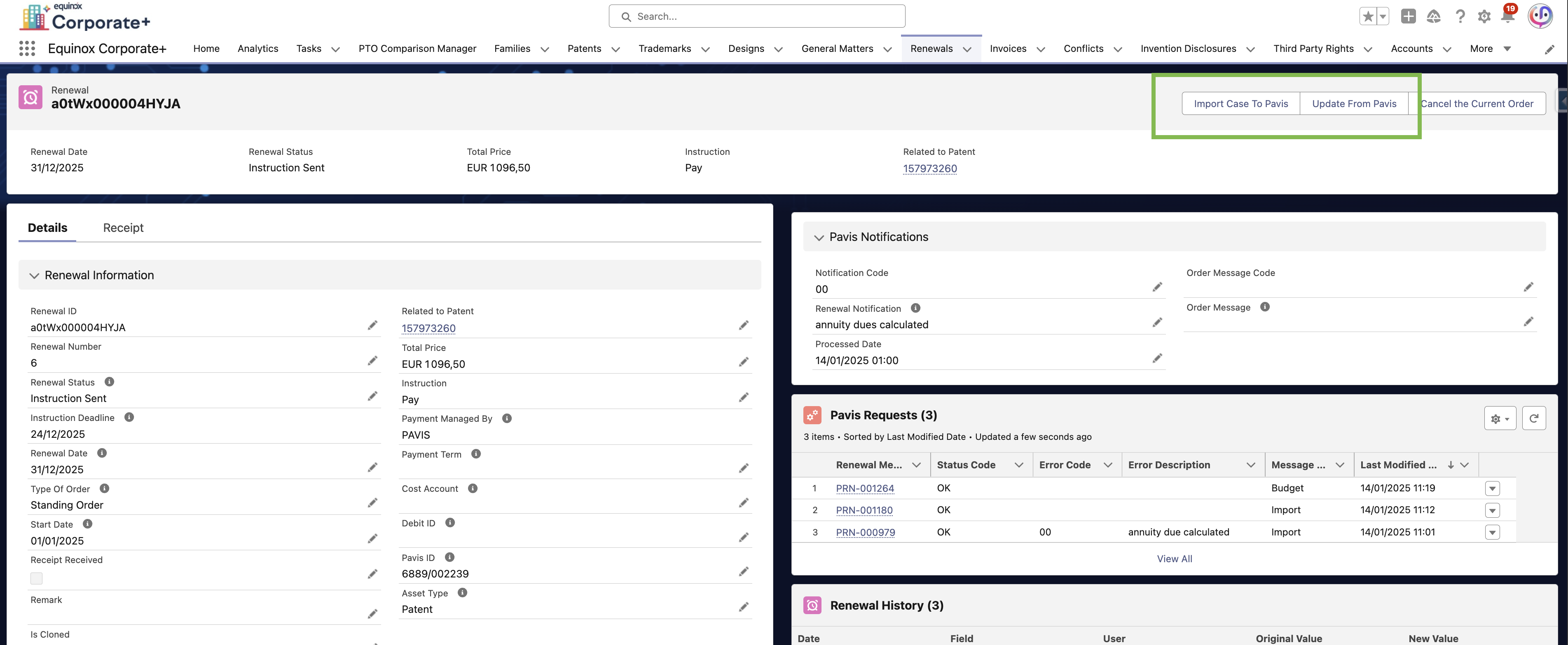
If you don't want to wait one week to get updates on due date and price information, you can manually send an update to Pavis and get updates loaded in EC+.
On the Renewal page:
- You can click on the Import Case to Pavis button to update Pavis with the last case information.
- You can click on the Update From Pavis button to get the last updates from Pavis.
Summary of Best Practices
✅ Always ensure Pavis Registration is checked
- ✅ Verify key bibliographic data (grant, application number, country) before Pavis onboarding
- ✅ EC+ automatically handles data transformation, API calls, and record creation.
- ✅ Do not manually create renewal records — they are generated by automation.
- ✅ Check Pavis Error(s)