
Overview
The Inventor Rewards feature allows your organisation to define, automate, and manage financial rewards for inventors based on their contributions to patents, invention disclosures, and licensing contracts. Rewards can be generated automatically by configurable rules, or created manually on a case-by-case basis.
This feature is available to Case Managers, Attorneys, Paralegals, Heads of IP, and Questel Administrators. Inventors and CTOs have read-only access to their own reward records.
How Rewards Work
Rewards are calculated at the Patent Family level. The system monitors key milestone dates across all assets belonging to a family and, when a relevant event occurs for the first time in that family, it automatically checks whether any active Reward Rules apply and creates the corresponding Reward records.
The milestone dates that can trigger a reward are:
- Application Date (Patent)
- Publication Date (Patent)
- Grant Date (Patent)
- Invention Disclosure Date (Invention Disclosure)
- First Licensing Date (Contract Signature Date)
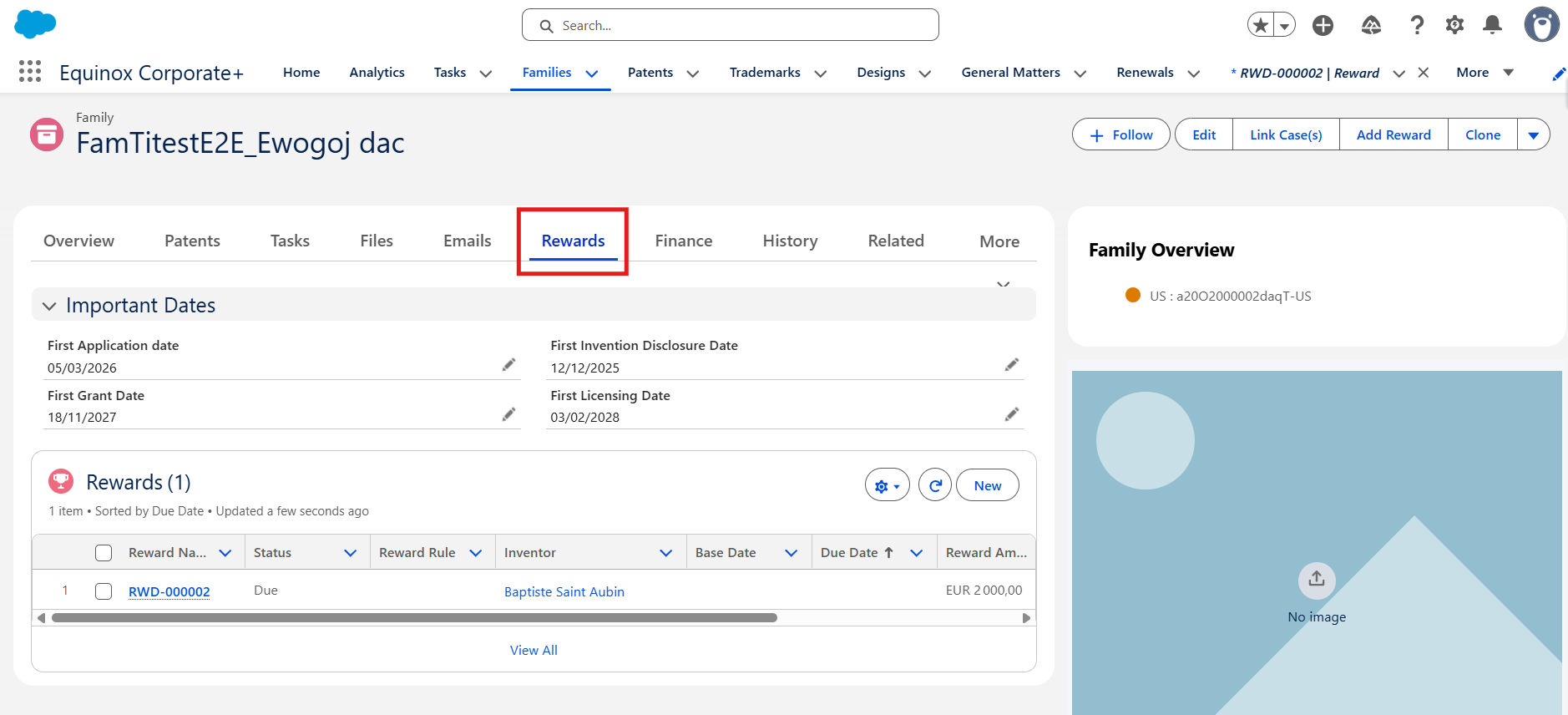
Important: Rewards are generated only once per milestone event per family. If the first application date is already set in a family, adding a second patent with an application date will not generate new rewards for that date.
The Three Reward Calculation Methods
When setting up a Reward Rule, you choose one of three methods for calculating the reward amount:
- Inventorship Share — The total reward amount is split among inventors proportionally, based on each inventor's inventorship share percentage recorded on their Inventor record. If an inventor has no share percentage set, their reward amount will be €0.
- Amount for All Inventors — Every eligible inventor receives the same fixed amount, regardless of their individual share percentage.
- Inventor Profiles — The reward amount for each inventor is determined by matching the inventor's characteristics (nationality, country of residence, employment status, division) against predefined Inventor Profile templates attached to the rule. Each profile carries its own reward amount. Inventors who do not match any profile do not receive a reward.
Key Objects in the Feature
- Reward Rule — Defines when and how a reward is generated: the trigger date, the country scope, the product line, the calculation method, and the amount.
- Inventor Profile — A child record of a Reward Rule (used with the Inventor Profiles method) that defines the eligibility criteria and reward amount for a specific type of inventor.
- Reward — The actual reward record generated for an inventor, linked to the family, the patent/invention disclosure/contract, and the inventor contact. Tracks the amount due, the due date, and the payment status.
- Contract — Represents a licensing or assignment agreement linked to a family. Can trigger rewards when its signature date is the first licensing date in the family.
- Invention Disclosure — An early-stage invention record. Can trigger rewards when its disclosure date is the first in the family.
Reward Statuses
| Status | Meaning |
|---|---|
| Due | The reward has been calculated and is awaiting payment. Default status. |
| Requested | Payment has been requested. |
| Paid | The reward has been paid to the inventor. |
| Non Applicable | The reward is not applicable in this case. |
Frequently Asked Questions
Are rewards linked to individual patents or to the family?
Rewards are linked to the Patent Family. The calculation logic runs at the family level to ensure each milestone event is rewarded only once, even if multiple patents in the family share the same date type.
Can I manually adjust a reward amount?
Yes. Any Reward record can be edited to change the amount. You can also check the Manual Amount Calculation checkbox on the reward to flag it as a manually handled case (e.g. for German-specific calculations).
What happens if an inventor has no inventorship share?
If the Inventorship Share method is used and an inventor has no share percentage recorded, their reward amount will be calculated as €0. They will still receive a Reward record but with a zero amount.